I've been testing crypto charting and analysis platforms for over seven years. Every few months a new tool promises to "revolutionize" how traders read the market. Most don't deliver. Some genuinely do.
This guide is my honest breakdown of the eight best crypto technical analysis tools available in 2026 — what each one does well, where each falls short, and which combination actually makes sense for your trading style and budget. No affiliate fluff, no paid rankings.
If you're new to technical analysis entirely, start with our complete guide to crypto technical analysis in 2026 before diving into tools. The best platform in the world won't help if you don't understand what the charts are telling you.
What to Look for in a Crypto TA Tool
Before comparing individual platforms, let's establish what actually matters. I've watched too many traders pick a tool because it "looks cool" and then realize six months in that it's missing something critical for their workflow.
Here are the six criteria I evaluate every platform against:

1. Charting Quality & Flexibility
This is the foundation. You need clean, responsive charts that let you draw trendlines, plot Fibonacci levels, and switch between timeframes without the interface fighting you. Look for multi-chart layouts, customizable color schemes, and smooth zooming — especially on lower timeframes where every candle matters.
2. Indicator Library & Customization
Most traders rely on a core set of technical indicators — RSI, MACD, moving averages, Bollinger Bands. But the real question is: can you customize parameters? Can you build your own? Some platforms offer hundreds of indicators but lock customization behind premium tiers.
3. Data Sources & Coverage
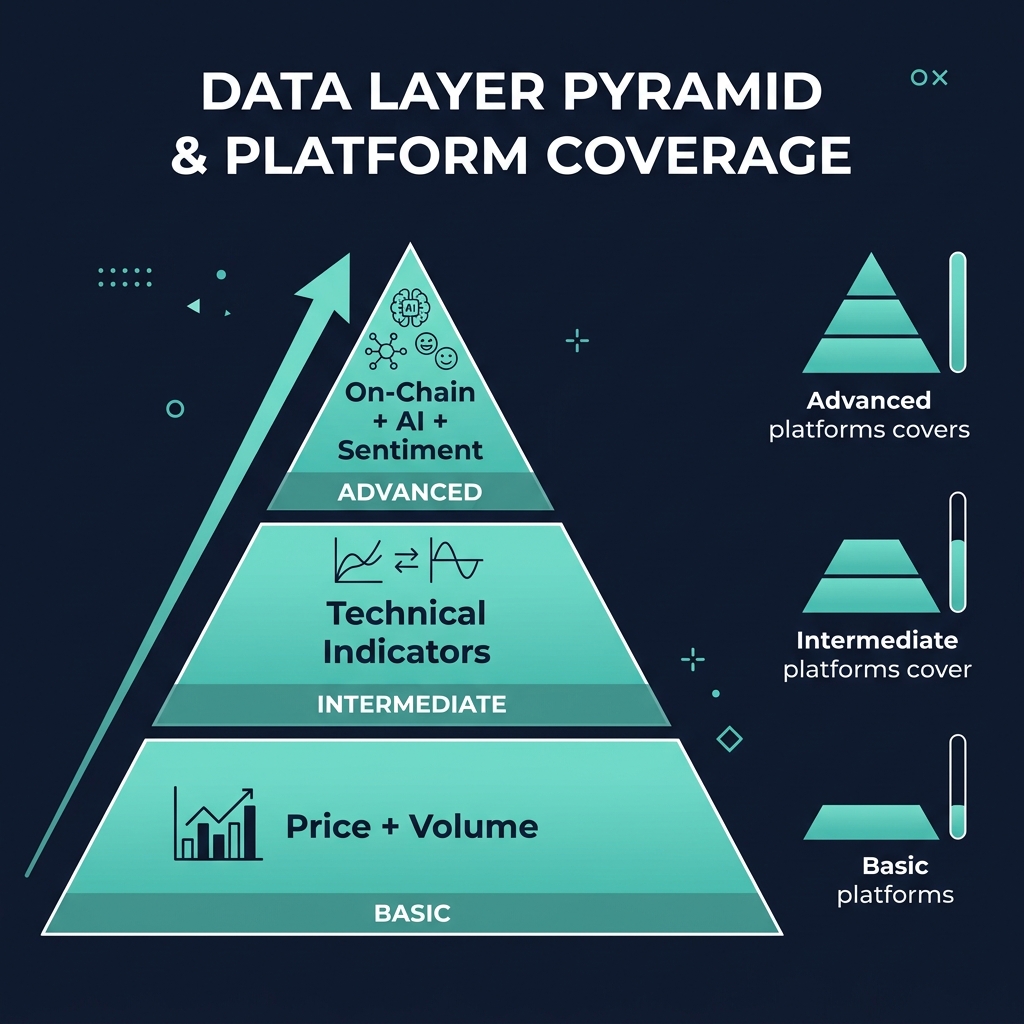
Crypto doesn't live on one exchange. A tool that only pulls data from Binance misses what's happening on Coinbase, Bybit, or decentralized exchanges. The best platforms aggregate data from multiple sources and include on-chain metrics alongside traditional price feeds.
4. Ease of Use
A platform can have every feature imaginable, but if it takes three weeks to figure out where things are, most traders will abandon it. Pay attention to onboarding, documentation, and how intuitive the interface feels the first time you open it.
5. Pricing & Free Tier Limitations
This matters more than most reviews admit. A $200/month platform might be incredible, but if you're trading a $2,000 portfolio, the math doesn't work. I'll be transparent about what each free tier actually gives you and where the paywalls hit.
6. Unique Features & Edge
What does this tool offer that you can't get elsewhere? AI scoring, on-chain integration, social sentiment, pattern scanning — these differentiators are what ultimately determine whether a platform deserves a permanent spot in your stack.
The 8 Best Crypto Technical Analysis Tools
1. TradingView — Best for Manual Charting & Community
Rating: 4.8/5
There's a reason TradingView has become the default charting platform for most crypto traders. It's earned that position.
TradingView's charting engine is, frankly, the best in the business. The HTML5 charts are fast, the drawing tools are precise, and the multi-chart layouts let you monitor several assets or timeframes simultaneously. With over 400 built-in indicators and 100,000+ community-created scripts via Pine Script, you'll never run out of analytical tools to experiment with.
The community aspect is what truly separates TradingView. Published ideas, shared scripts, and real-time chat create something no other platform has replicated at scale. When Bitcoin is dumping at 3 AM, there are always a dozen analysis posts being published in real-time by traders who are actually watching the same chart you are.
Pine Script itself deserves a mention — it's one of the most accessible scripting languages in trading. Even with basic programming knowledge, you can build custom indicators, backtest strategies, and create alerts based on complex conditions. The learning curve is approachable enough that it's become many traders' first coding experience.
Pros:
- Industry-leading charting engine with 400+ built-in indicators
- Pine Script lets you build and backtest custom strategies
- Massive community with 100K+ shared scripts and ideas
- Covers crypto, stocks, forex, and commodities in one platform
- Excellent free tier that's genuinely usable
- Mobile app is surprisingly capable
Cons:
- Limited on-chain data — you're mostly working with price and volume
- No built-in AI analysis or automated signal generation
- Pine Script backtesting can be slow on large datasets
- Premium tiers get expensive quickly ($60–$120/month for serious features)
- Alert limits on free and basic plans can be frustrating
- Community ideas vary wildly in quality — no curation system
Pricing:
- Free: 1 chart per tab, 3 indicators, basic alerts
- Essential: $14.95/month — 2 charts per tab, 5 indicators
- Plus: $29.95/month — 4 charts, 10 indicators, export data
- Premium: $59.95/month — 8 charts, 25 indicators, priority support
- Ultimate: $119.95/month — unlimited everything, priority data
Best for: Traders who primarily rely on manual chart analysis, want community interaction, and trade across multiple asset classes — not just crypto. If your strategy is drawing support/resistance levels, running RSI divergences, and backtesting with Pine Script, TradingView is the obvious choice.
2. CoinXSight — Best for AI-Powered Multi-Layer Analysis
Rating: 4.5/5
CoinXSight takes a fundamentally different approach to technical analysis. Instead of giving you a blank chart and saying "figure it out," it layers AI-driven scoring on top of traditional TA, on-chain data, and market structure analysis to surface confluences you might miss manually.
The Chart Pro module is where most users spend their time. It combines standard charting tools with an AI overlay that highlights key levels, trend changes, and indicator confluences. You're still making the decisions, but the platform is flagging areas where multiple signals align — which is precisely the kind of confluence-based approach that experienced analysts recommend.
Where CoinXSight genuinely stands out is the integration between technical analysis and on-chain data. Most platforms force you to use separate tools for charting and blockchain analytics. CoinXSight combines exchange flow data, whale tracking, and traditional indicators into a single view. When Bitcoin's RSI is oversold and exchange outflows are spiking, that's a stronger signal than either metric alone — and CoinXSight surfaces that automatically.
The Discovery market scanner is another strong feature. It screens hundreds of tokens for technical setups, unusual volume, and on-chain anomalies. Instead of manually checking 50 charts every morning, you get a filtered list of assets that actually have something interesting happening.
Alpha Hunter provides AI-generated signals, but I want to be clear: no signal tool replaces understanding why a trade makes sense. Use it as a starting point for your own analysis, not as a trade copier.
Pros:
- AI scoring combines TA + on-chain + market structure into unified analysis
- Whale tracking and exchange flow data integrated alongside charts
- Discovery scanner saves hours of manual chart review
- Clean, modern interface — less overwhelming than some alternatives
- Strong for confluence-based strategies where multiple signals matter
- Growing library of educational content within the platform
Cons:
- Newer platform — the community is still growing and significantly smaller than TradingView's
- Charting tools, while solid, don't yet match TradingView's depth of drawing tools and customization
- No equivalent to Pine Script for building fully custom indicators
- Feature set is still expanding — some niche indicators aren't available yet
- Less third-party integration compared to established platforms
- Price discovery for very small-cap altcoins can have data gaps
Pricing:
- Free tier: Basic charting, limited scanner access, core indicators
- Pro: $29/month — Full Chart Pro, AI scoring, expanded scanner
- Enterprise: Custom pricing — API access, team features
Best for: Traders who want AI and on-chain data layered into their technical analysis workflow — especially if you're tired of juggling separate tabs for charting, whale tracking, and exchange flow analysis. If you value confluence-based decision-making over manual drawing tools, CoinXSight is the strongest option in this space.
Honest take: CoinXSight isn't trying to beat TradingView at pure charting. It's solving a different problem — combining data layers that normally require 3–4 separate subscriptions. If you're a dedicated manual chartist who lives in Pine Script, TradingView is still your tool. If you want AI-assisted analysis with on-chain integration, CoinXSight has a genuine edge.
3. CryptoQuant — Best for On-Chain Analytics
Rating: 4.4/5
CryptoQuant has built its reputation on exchange-level on-chain data. If you want to know exactly how much Bitcoin is flowing into Binance's cold wallets or whether miners are distributing, this is the platform that pioneered making that data accessible to retail traders.
The exchange flow metrics — net flows, reserve changes, fund flow ratios — are CryptoQuant's bread and butter. Their data is clean, updated frequently, and goes deeper than most alternatives. The Quicktake community feature, where analysts publish short on-chain interpretations, adds a layer of context that raw data alone doesn't provide.
For technical analysis specifically, CryptoQuant is more limited. The charting interface exists, but it's designed for overlaying on-chain metrics onto price — not for the kind of detailed manual charting you'd do on TradingView. Think of it as an on-chain research platform that happens to have charts, not a charting platform that happens to have on-chain data.
Pros:
- Best-in-class exchange flow data and miner metrics
- Quicktake community provides contextual analysis from professional analysts
- Strong coverage of Bitcoin and Ethereum on-chain fundamentals
- API access for building custom dashboards and alerts
- Historical data goes back years for long-term analysis
Cons:
- Charting tools are basic — not suitable as your primary TA platform
- Altcoin coverage is improving but still limited compared to BTC/ETH
- Premium tiers are expensive for retail traders ($99–$399/month)
- Learning curve is steep if you're new to on-chain metrics
- Free tier is quite restricted — most useful data requires a paid plan
Pricing:
- Free: Limited metrics, delayed data
- Advanced: $29/month — Broader metrics, faster updates
- Professional: $99/month — Full data access, alerts, API
- Premium: $399/month — Institutional-grade data, priority support
Best for: Traders who want to layer on-chain fundamentals into their analysis — particularly for Bitcoin. Pairs well with a dedicated charting tool. If exchange flow analysis is central to your strategy, CryptoQuant is the primary source.
4. Glassnode — Best for Institutional-Grade On-Chain Data
Rating: 4.3/5
Glassnode occupies the institutional end of on-chain analytics. Their metrics are meticulously documented, their methodology is transparent, and their research reports are some of the most cited in the industry. If CryptoQuant is the trader's on-chain tool, Glassnode is the analyst's.
The platform's strength is depth. Metrics like MVRV Z-Score, SOPR, Realized Price, and HODL Waves are presented with full methodology explanations. Glassnode Workbench lets you combine metrics, create custom charts, and export data — making it a favorite for analysts who publish research.
That depth comes with trade-offs. Glassnode is not a quick-glance tool. The interface rewards users who invest time understanding each metric, and the pricing reflects its institutional positioning — the free tier is extremely limited, and meaningful access starts at $39/month.
Pros:
- Most comprehensive on-chain metric library in the industry
- Glassnode Workbench allows custom metric combinations
- Transparent methodology for every single metric
- Weekly research reports are excellent educational resources
- Strong API for data export and custom dashboards
- Covers Bitcoin, Ethereum, and an expanding list of assets
Cons:
- Not a charting platform — no drawing tools, no traditional TA indicators
- Free tier is severely limited (most useful metrics locked)
- Expensive for retail traders ($39–$799/month)
- Steep learning curve for on-chain newcomers
- Interface can feel dense and overwhelming
- Real-time data only on higher-priced tiers
Pricing:
- Free: Very limited — 10 metrics with delayed data
- Standard: $39/month — 100+ metrics, daily resolution
- Professional: $99/month — Full metrics, hourly resolution, Workbench
- Institutional: $799/month — Real-time data, priority API, custom reports
Best for: Analysts and researchers who need deep, well-documented on-chain data. Not suitable as a standalone TA tool — you'll need a charting platform alongside it. Excellent for building conviction on macro positions through metrics like MVRV and Realized Price.
5. Coinigy — Best for Multi-Exchange Trading
Rating: 3.9/5
Coinigy's core value proposition is simple: chart and trade across 45+ exchanges from a single interface. If you have accounts on Binance, Coinbase, Kraken, and Bybit, switching between four different trading interfaces is a pain. Coinigy solves that.
The charting is powered by TradingView's engine, which means you get solid charts out of the box. The real benefit is the unified order book and the ability to execute trades directly from charts across exchanges. For active traders managing positions on multiple platforms, this workflow improvement is significant.
The platform hasn't evolved as aggressively as some competitors, though. While the multi-exchange integration remains useful, the broader feature set — indicators, alerts, analytics — feels like it hasn't kept pace with the market. The interface, while functional, has started to show its age.
Pros:
- Trade across 45+ exchanges from one interface
- TradingView-powered charts provide solid charting foundation
- Unified portfolio tracking across exchanges
- SMS and email alerts for price movements
- ArbMatrix tool for spotting cross-exchange arbitrage opportunities
Cons:
- No free tier — starts at $24.99/month
- No on-chain data or AI features
- Interface feels dated compared to newer platforms
- Indicator library is limited to TradingView's built-in set — no custom scripts
- Development pace has slowed compared to competitors
- Mobile experience is not as polished
Pricing:
- Pro Trader: $24.99/month — Full charting, multi-exchange trading
- API Developer: $49.99/month — Extended API access, priority support
Best for: Active traders who execute on multiple exchanges and want a unified interface. If your primary need is multi-exchange trading with decent charts, Coinigy delivers. If you need deep analytics, AI, or on-chain data, look elsewhere.
6. Token Metrics — Best for AI Price Predictions
Rating: 4.0/5
Token Metrics leans heavily into AI and machine learning for its analysis. The platform generates AI-driven price predictions, trader grades, and technology ratings for thousands of tokens. If you're interested in quantitative approaches to crypto analysis, Token Metrics offers a unique angle.
The AI predictions cover short-term (daily) and long-term (monthly) price targets, along with a proprietary "Token Metrics Grade" that combines technical, fundamental, and sentiment factors. The Trading Signals feature identifies entries and exits based on their models.
The important caveat: AI price predictions in crypto should be treated as one input among many, not as gospel. Markets are inherently unpredictable, and even the best models struggle with black swan events, regulatory announcements, and the kind of sentiment-driven volatility that defines crypto. Token Metrics is transparent about model accuracy, which I respect, but the accuracy rates aren't high enough to trade blindly.
Pros:
- AI-driven price predictions with transparent accuracy tracking
- Covers thousands of tokens including smaller altcoins
- Trader Grades combine multiple analytical factors
- Portfolio analytics and rebalancing suggestions
- Educational content and market analysis reports
- Active development with frequent feature additions
Cons:
- Charting tools are basic — you'll still need a dedicated charting platform
- AI predictions should not be used as a sole trading strategy
- Accuracy rates, while transparent, leave significant room for error
- Premium tiers are expensive ($99–$399/month)
- Limited on-chain integration
- Some features feel more gimmicky than useful
Pricing:
- Free: Very limited — basic market data
- Starter: $49/month — AI predictions, basic grades
- Premium: $99/month — Full predictions, trading signals, API
- VIP: $399/month — Priority signals, portfolio management, advanced AI
Best for: Data-oriented traders who want quantitative AI analysis as one layer of their decision-making process. Best used alongside a proper charting tool and your own analysis — not as a standalone system.
7. AltFins — Best for Pattern Scanning & Screening
Rating: 4.1/5
AltFins focuses on automated pattern recognition and screening — the kind of tedious work that most traders either skip or spend hours doing manually. The platform scans hundreds of coins for chart patterns (head & shoulders, wedges, triangles), trend signals, and momentum shifts.
The Screener is AltFins' strongest feature. You can filter by pattern type, timeframe, exchange, market cap, and technical conditions. If you're looking for all mid-cap tokens that just broke out of a falling wedge on the 4-hour chart, AltFins can surface that in seconds. This is genuinely useful — pattern scanning at scale is something humans are terrible at.
The platform also offers a curated signals feature, educational summaries for each pattern, and performance tracking for identified setups. The interface is clean and approachable, making it one of the more beginner-friendly options on this list.
Pros:
- Automated pattern recognition across hundreds of tokens
- Powerful screener with multi-factor filtering
- Performance tracking for identified patterns
- Clean, beginner-friendly interface
- Educational content explaining each pattern and its implications
- Decent free tier with basic screening
Cons:
- Charting tools are functional but not advanced
- No on-chain data integration
- Pattern recognition, while useful, produces false positives — always verify manually
- Limited customization for advanced traders
- Community is small compared to TradingView
- Some advanced screening filters locked to premium tiers
Pricing:
- Free: Basic screening, limited patterns
- Essential: $19/month — Full screening, pattern alerts
- Premium: $49/month — Advanced filters, signals, API access
Best for: Traders who rely on chart patterns and want automated scanning. Excellent as a complementary tool alongside your main charting platform. Saves significant time on daily market scanning, especially if you trade altcoins.
8. Coinglass — Best for Derivatives & Liquidation Data
Rating: 4.2/5
Coinglass (formerly Bybt) has carved out a niche as the go-to platform for derivatives market data. Open interest, funding rates, liquidation maps, long/short ratios — if it involves futures or perpetual swaps, Coinglass probably tracks it.
For traders who incorporate order flow and derivatives data into their technical analysis, Coinglass provides context that pure price charts miss entirely. Knowing that $500 million in long positions will get liquidated if BTC drops 3% changes how you interpret a support level. Liquidation heatmaps have become one of the most referenced tools in crypto trading, and Coinglass pioneered making this data visual and accessible.
The platform also tracks exchange-level data — open interest by exchange, funding rate disparities, and options flow. For derivatives traders, this granularity is invaluable.
Pros:
- Best liquidation data and heatmaps in the industry
- Comprehensive open interest and funding rate tracking
- Exchange-level derivatives data breakdown
- Options flow and put/call ratio tracking
- Free tier is generous — most core data is accessible
- Fast data updates during high-volatility events
Cons:
- Not a charting platform — no drawing tools or traditional TA
- Focused exclusively on derivatives data — no spot-only analysis
- Interface can feel cluttered with too much data on screen
- Limited altcoin derivatives coverage
- No AI or automated analysis features
- Historical data depth varies by metric
Pricing:
- Free: Core metrics including liquidation data, open interest, funding rates
- Pro: $49/month — Enhanced data, historical exports, API access, alerts
Best for: Derivatives and futures traders who need liquidation data, funding rates, and open interest to inform their positions. Essential companion tool for anyone trading perpetual swaps. Pairs naturally with a charting platform and on-chain analytics.
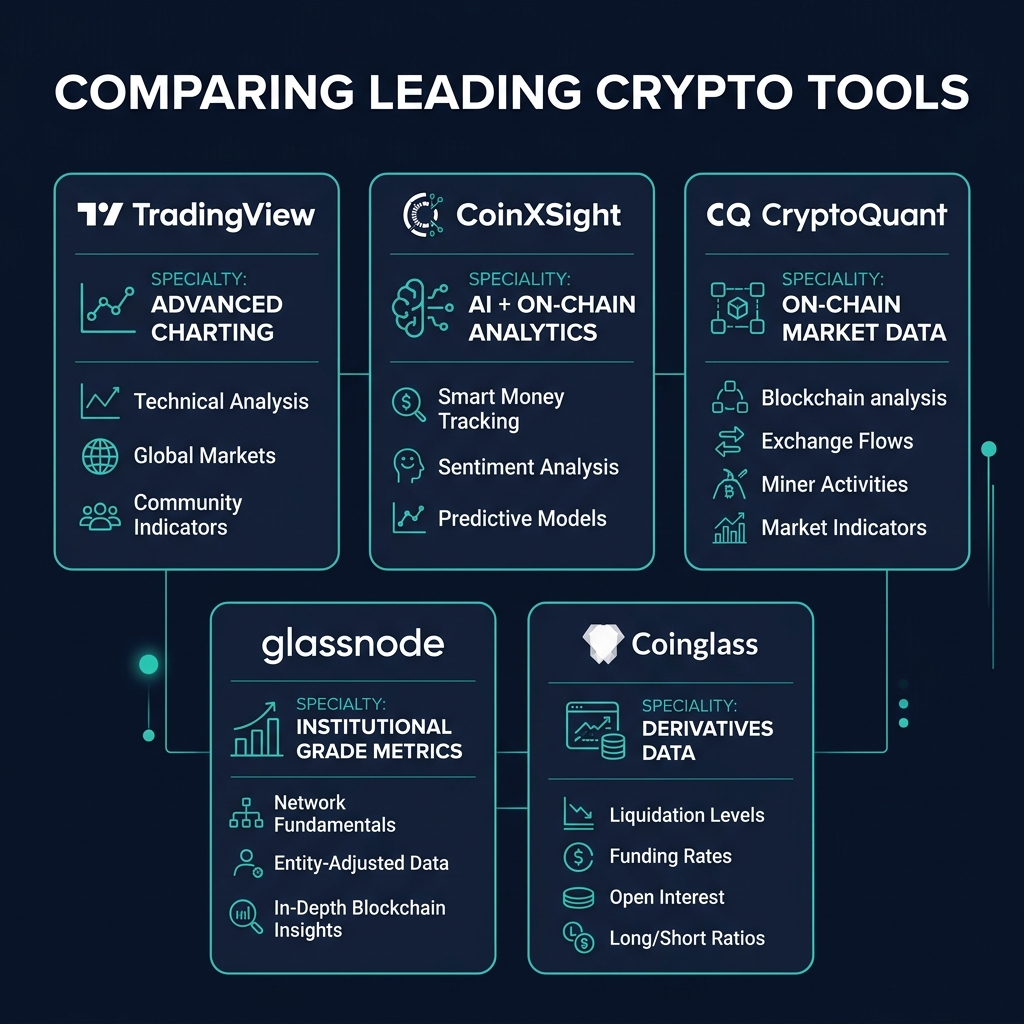
Feature Comparison Table
| Feature | TradingView | CoinXSight | CryptoQuant | Glassnode | Coinigy | Token Metrics | AltFins | Coinglass |
|---|---|---|---|---|---|---|---|---|
| Manual Charting | ★★★★★ | ★★★★☆ | ★★★☆☆ | ★★☆☆☆ | ★★★★☆ | ★★☆☆☆ | ★★★☆☆ | ★★☆☆☆ |
| Built-in Indicators | 400+ | 80+ | 50+ | 200+ (on-chain) | 100+ | 30+ | 60+ | 20+ |
| Custom Indicators | ✅ (Pine Script) | ❌ | ❌ | ✅ (Workbench) | ❌ | ❌ | ❌ | ❌ |
| AI Analysis | ❌ | ✅ | ❌ | ❌ | ❌ | ✅ | Partial | ❌ |
| On-Chain Data | Limited | ✅ | ✅ | ✅ | ❌ | Limited | ❌ | ❌ |
| Whale Tracking | ❌ | ✅ | Partial | Partial | ❌ | ❌ | ❌ | ❌ |
| Exchange Flows | ❌ | ✅ | ✅ | ✅ | ❌ | ❌ | ❌ | ❌ |
| Derivatives Data | Limited | Partial | Partial | ❌ | ❌ | ❌ | ❌ | ✅ |
| Pattern Scanning | Community | ✅ | ❌ | ❌ | ❌ | Partial | ✅ | ❌ |
| Multi-Exchange Trade | Broker-dependent | ❌ | ❌ | ❌ | ✅ | ❌ | ❌ | ❌ |
| Mobile App | ✅ | ✅ | ✅ | ❌ | ✅ | ✅ | Partial | Partial |
| Free Tier Quality | ★★★★☆ | ★★★☆☆ | ★★☆☆☆ | ★☆☆☆☆ | ❌ | ★☆☆☆☆ | ★★★☆☆ | ★★★★☆ |
| Starting Paid Price | $14.95/mo | $29/mo | $29/mo | $39/mo | $24.99/mo | $49/mo | $19/mo | $49/mo |
Note: Ratings reflect crypto-specific capabilities. TradingView's charting is unmatched for manual analysis, while platforms like CoinXSight, CryptoQuant, and Glassnode offer data layers that TradingView doesn't cover.
How I'd Build My Stack on Different Budgets
Here's the honest truth: no single platform does everything well. The best traders I know use 2–3 tools that complement each other. Here's how I'd structure a stack at different price points.
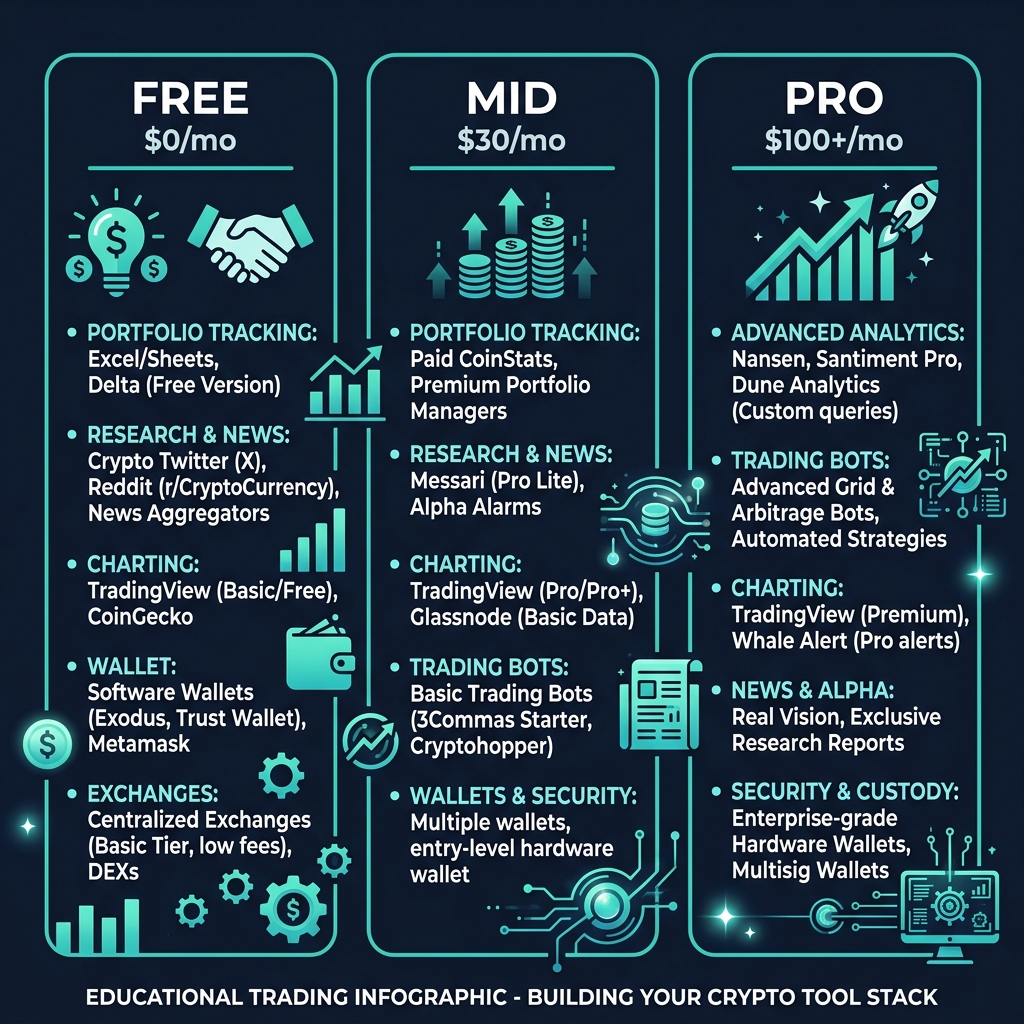
The $0/Month Stack (Beginner)
- TradingView Free — Your primary charting tool. Three indicators and one chart per tab is limiting, but it's enough to learn proper technical analysis
- Coinglass Free — Liquidation data and funding rates give you essential derivatives context
- CoinXSight Free — Basic AI scoring and scanner access to explore confluence-based analysis
What you're missing: Advanced indicators, unlimited alerts, deep on-chain data, and AI-powered screening. But for learning the fundamentals of crypto technical analysis, this stack is genuinely enough.
My advice: Spend at least 3–6 months with free tools before paying for anything. If you can't be profitable with basic RSI, moving averages, and support/resistance, a $100/month platform won't fix that.
The $30/Month Stack (Intermediate)
Pick one paid tool based on your trading style:
- Option A: TradingView Plus ($29.95/mo) — If manual charting is your edge. You get 4 charts per tab, 10 indicators, and more alerts. Supplement with free Coinglass and CoinXSight tiers.
- Option B: CoinXSight Pro ($29/mo) — If AI and on-chain confluence matter more to you. Full Chart Pro access, AI scoring, and the Discovery scanner. Use TradingView's free tier for any additional manual charting.
What you're missing: Institutional-grade on-chain data and multi-exchange trading. At this budget, you're making a deliberate choice about your analytical focus — and that's fine.
The $100+/Month Stack (Serious Trader)
- TradingView Premium ($59.95/mo) — Unlimited charts, 25 indicators, full backtesting
- CoinXSight Pro ($29/mo) — AI scoring, on-chain integration, Discovery scanner
- Coinglass Pro ($49/mo) OR CryptoQuant Advanced ($29/mo) — Depending on whether you trade more derivatives or spot
Total: ~$118–$138/month
This gives you manual charting (TradingView), AI-assisted confluence analysis with on-chain data (CoinXSight), and either derivatives data (Coinglass) or deeper on-chain metrics (CryptoQuant). It's a genuinely comprehensive stack.
Reality check: This only makes sense if you're trading with enough capital that the subscription costs are a small percentage of your portfolio. If $138/month is a meaningful chunk of your trading account, stick with the $30/month stack and focus on improving your edge before scaling your tools.
Free vs Paid: What Do You Actually Need as a Beginner?
I want to be direct about this because I see too many beginners spend $200/month on tools before they understand what a volume profile even tells them.
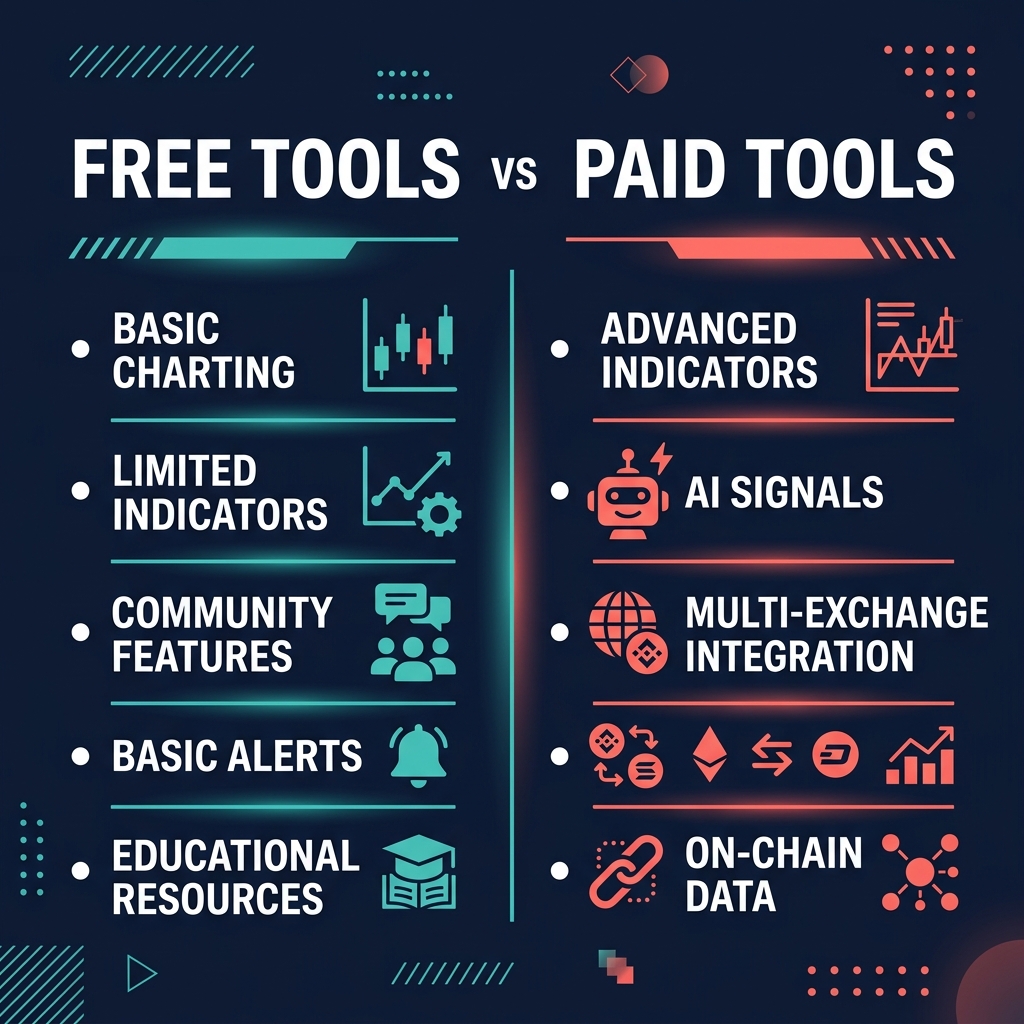
What Free Tools Give You
Free tiers across the platforms above provide:
- Basic charting with standard indicators (RSI, MACD, moving averages)
- Limited but usable market scanning
- Core derivatives data (liquidation levels, funding rates)
- Introductory AI scoring and on-chain metrics
This is enough to learn crypto technical analysis. The indicators haven't changed — RSI works the same way on a free TradingView account as it does on a $120/month plan. What changes with paid tiers is efficiency, depth, and automation.
When Paid Tools Make Sense
Consider upgrading when:
- Alert limits are costing you trades. If you're consistently missing entries because TradingView's free tier only allows 5 alerts, the $15/month upgrade pays for itself with one saved trade.
- You're spending more than an hour daily scanning charts. Tools like CoinXSight's Discovery scanner or AltFins' pattern recognition can compress a 90-minute morning routine into 15 minutes. If your time has value, this is a straightforward ROI calculation.
- Your strategy requires data you can't get for free. If you're trading based on whale movements, exchange flows, or on-chain metrics, the free tiers won't give you enough depth. But make sure the strategy actually works before paying for the data.
- You've been consistently profitable for 3+ months. Paid tools should amplify an existing edge, not create one from scratch. If you're not yet profitable with free tools, adding paid features won't change that.
What Beginners Should Focus On Instead of Tools
Before worrying about which platform to subscribe to, master these fundamentals:
- Price action reading — Support, resistance, trendlines, and candlestick patterns. These work on every platform, free or paid.
- 2–3 core indicators — Learn RSI deeply. Understand what volume profile reveals. Don't spread yourself thin across 20 indicators you half-understand.
- Risk management — Position sizing, stop losses, and risk-reward ratios. This protects your capital regardless of your analytical tools.
- Journaling — Track your trades, your reasoning, and your results. A $5 spreadsheet teaches you more about your trading than a $100/month platform.
The tools matter. But they matter less than most marketing would have you believe — especially when you're starting out.
FAQ
What is the best free crypto charting tool?
TradingView's free tier is the best free charting tool for crypto technical analysis. You get professional-grade charts, three indicators per chart, community scripts, and coverage across major exchanges. The limitations (one chart per tab, limited alerts) are annoying but not deal-breaking for learning.
For supplementary data, Coinglass offers the best free derivatives data, and CoinXSight's free tier provides basic AI scoring and market scanning that you won't find on TradingView.
Is TradingView good enough for crypto trading?
TradingView is excellent for charting crypto — it's the industry standard for a reason. However, it has notable gaps for crypto-specific analysis: limited on-chain data, no whale tracking, no AI-powered analysis, and basic derivatives data. Most serious crypto traders use TradingView for charting alongside 1–2 complementary platforms for on-chain or derivatives data.
What's the best TradingView alternative for crypto?
It depends on what you need. CoinXSight is the strongest alternative if you want AI-powered analysis with integrated on-chain data. CryptoQuant and Glassnode are better if you need deep on-chain analytics specifically. AltFins is a good alternative if automated pattern scanning is your priority.
No single platform fully replaces TradingView for pure manual charting, but several offer capabilities TradingView lacks entirely.
Do I need on-chain data for crypto technical analysis?
You don't need it, but it adds a layer of analysis that pure price charts can't provide. On-chain data — exchange flows, whale movements, holder behavior — reveals what's happening beneath the price action. A bearish chart pattern looks different when exchange inflows are spiking (confirming selling pressure) versus when they're flat (suggesting the pattern might fail).
For beginners, focus on price action and basic indicators first. Layer in on-chain data once you're comfortable with traditional technical analysis.
Are AI crypto analysis tools accurate?
AI tools like CoinXSight and Token Metrics can identify patterns and confluences faster than manual analysis, but they're not crystal balls. No AI tool consistently predicts crypto prices with high accuracy — anyone claiming otherwise is selling something.
The value of AI tools is in efficiency and coverage: scanning hundreds of tokens for setups, identifying indicator confluences, and flagging unusual on-chain activity. Think of them as analytical assistants, not oracles. Your own judgment, risk management, and strategy discipline still determine your results.
How many trading tools should I use?
For most traders, 2–3 complementary tools is the sweet spot. Typically: one primary charting platform, one data/analytics tool (on-chain or derivatives), and optionally one scanning/screening tool.
Using more than 3–4 platforms creates analysis paralysis. You end up with conflicting signals, information overload, and less time for actual trade execution. Pick tools that cover your specific blind spots and ignore the rest.
Can I do technical analysis on my phone?
Yes, but with limitations. TradingView and CoinXSight both have capable mobile apps for checking charts, receiving alerts, and reviewing analysis on the go. However, detailed manual charting — drawing complex Fibonacci extensions, managing multi-chart layouts — is still significantly better on desktop.
Use mobile for monitoring and alerts. Do your serious analysis on a proper screen.
This comparison reflects my experience testing these platforms through May 2026. Pricing and features change — always check the latest directly on each platform's website. I have no affiliate arrangements influencing the rankings in this article.
!WARNINGFinancial Disclaimer: Trading cryptocurrencies involves substantial risk and may not be suitable for every investor. The high volatility of crypto assets can result in significant financial losses. The information provided in this guide is for educational purposes only and does not constitute financial, investment, or trading advice. Always conduct your own research, practice proper risk management, and consult with a licensed financial advisor before making any investment decisions.
About the Author
Sarah Mitchell is a Technical Analysis Specialist at CoinXSight, focusing on combining traditional chart patterns with modern on-chain metrics and machine learning algorithms. With over seven years of active trading experience, she specializes in swing trading strategies and trend-following frameworks. Connect with her on LinkedIn or follow her latest market updates on Twitter/X.